
ProductsVoisIT Plugin for Chrome
Requires paymentChrome
Listen to Faroese webpages.
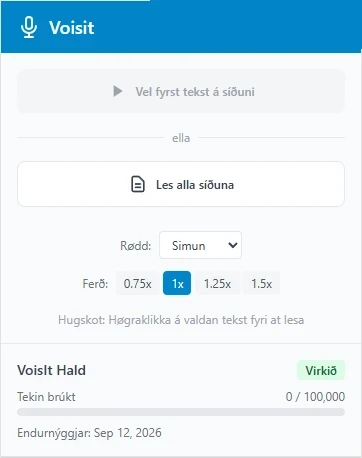
VoisIT Plugin for Chrome reads Faroese text on webpages aloud. Select a passage, or let the plugin read the whole page.
What you can do
Selected text
Highlight a passage and hear exactly that read aloud.
The whole page
Let the plugin read all the text on the page.
Click a paragraph
Click a paragraph to hear it read. You can also right-click and choose “Les við VoisIT”.
You choose the reading speed, and the text is highlighted as it is read.
How it works
- Add VoisIT Plugin to Chrome from the Chrome Web Store.
- Open a Faroese webpage and select some text.
- Press the VoisIT button and listen.
Good to know
- The plugin reads text that is on the page. Text inside images is not read.
- You sign in to the plugin with your VoisIT account.